
4 Ways to Practice English With YouTube's AI

YouTube has always been a great resource for teachers in the language classroom. Whether it’s been used for ESL-specific training like Rachel’s English, ideas and activities for teachers like Charlie’s Lessons, or contemporary activities around things like movie trailers or TED talks, there’s always something fun and interesting to explore. As wonderful as easy access to videos has been, YouTube was, until recently, a passive experience. Teachers have had to build their own activities, conversations, quizzes, and more to transition these videos into an active learning opportunity. But no more.
As Google integrates AI more and more into all of its services, many of us are dealing with a lot of frustrating choices, but one clearly useful place that has a lot of potential for our students is with YouTube’s “Ask About This Video” feature, which is indicated by a sparkly star underneath any video. Google uses its AI platform, Gemini, to let you have a side conversation while you watch videos, giving us all lots of opportunities to have a feedback or practice partner around any topic. Here are some ways students can use it:
1. Filling in the Gaps
Students can tell the chatbot that they watched a key segment of the video and identify it by timestamps, then try to paraphrase or summarize the segment. They can then ask the chatbot to analyze their accuracy.
Sample Prompt >_____
I just watched from 0:00 to 1:14. I’m going to paraphrase my understanding of the video to this point. Please let me know if there are any key points or ideas that I missed or misunderstood: [add paraphrase here]
2. Practice What You Play
With so many thoughtfully produced videos teaching students skills in English, it only makes sense for them to be able to practice those skills at the moment they’re learning them. Let students know that they can easily practice concepts in the moment—in fact, one of YouTube’s suggested prompts is simply “Quiz me.” We might fine tune that a little bit, but encourage your students to explore the questions they ask.
Sample Prompt >_____
I just watched the video. Give me 10 questions to quiz me on how well I understand the concepts. Ask the questions one at a time, and give me feedback on my answers based on the lesson from the video.
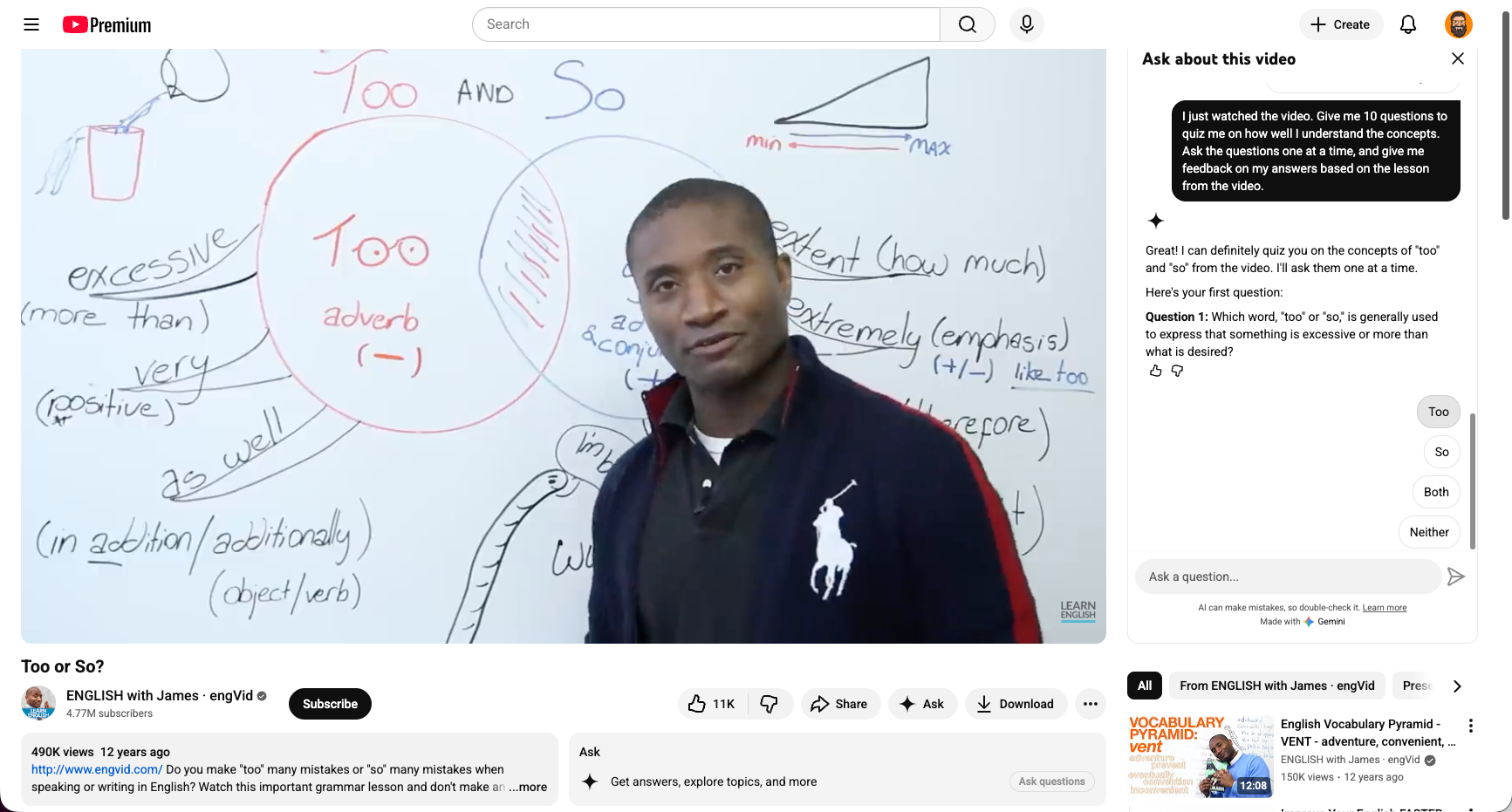
If students have a favorite YouTuber, like James from engVid in the screenshot above, they can turn any lecture into a practicing opportunity on the spot!
3. Dictation Practice
Dictation has long held a place in the classroom, but having students to practice transcribing on their own has always been a bit out of reach. By the time students find something they’re interested in, gather transcripts, and develop a system for checking their understanding, most have given up.
Nowadays it’s much easier to get going, and students’ only prep is cutting and pasting a prompt that gets them started. Since the chat doesn’t go back to the teacher, they’re less likely to be anxious about being perfect, and instead they can focus on checking and understanding their own ability to hear and understand English.
Sample Prompt >_____
I’m going to transcribe sentences as I hear them. I won’t write every sentence I hear, but when I do write something, please match it against what you think I’m trying to transcribe. Compare my written sentence against the real language. If I wasn’t right, please give me feedback that explains what I missed and how I can improve the next time.
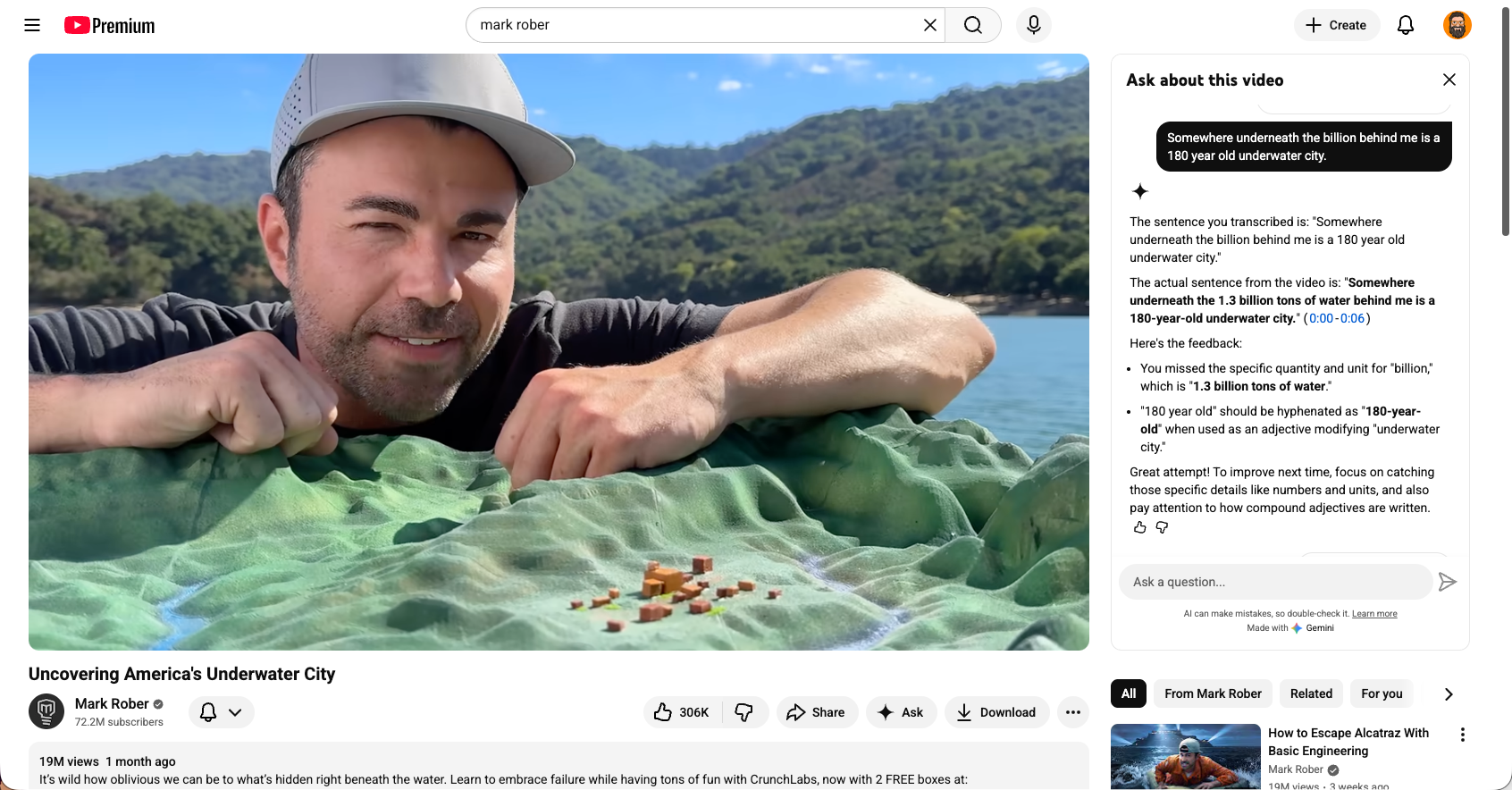
Students can do this with any content they’re interested in so they can practice their English while watching content they enjoy. Just remind them to turn off the subtitles!
4. Vocabulary Inference
As students become more familiar with vocabulary, many of us teach them how to use inference and context clues to understand words they don’t know. They can practice this skill as they’re watching videos, building their lexicon, and getting insights into how well they’re able to figure out the meaning of unfamiliar words.
Sample Prompt >_____
I’m studying English and I want to work on my vocabulary and inference. I heard this word: [WORD HERE]. I think it means: [STUDENT DEFINITION HERE]. Am I close? Please explain in simple English.
Once you start playing around with talking to the chatbot and challenging it to take on different tasks as you watch, you’ll start to come up with your own ideas to share with students. The possibilities here are endless, and I only see them as getting more interesting as more features roll out in chatbots like these.
Give it a try and share with your students—it’s a lot more fun than a worksheet, and you may find that your students come back with their own ideas for using the feature. If they do, please share them here for other teachers to see and try out!

About the author
Brent Warner is a professor of ESL at Irvine Valley College in California, and an educational technology enthusiast. He is co-host of the DIESOL podcast, the only podcast with a specific focus on EdTech in ESL. He frequently presents on the crossroads of technology and language learning, focusing on student engagement and developing learner autonomy. Brent likes his coffee black and his oranges orange. He can be found on LinkedIn at @BrentGWarner.