
Make Your Own App: Vibe Coding for English Language Teachers
Vibe Coding, for the uninitiated, basically means “Build your own app without learning any code.” You might think of it like grandma’s cooking—if you ask for it, she’ll make it for you. It might be great, or it might not be quite perfected, but at the end of the day you got (roughly) what you asked for.
Vibe coding is the same, but with AI and applications. Want a vocabulary game but you’re bored of the same old Kahoot? Make your own! Need a way for students to practice grammar on the fly? Build a quick game! In other words, all those little wishes and requests that have disappeared in the Google or Microsoft suggestion emails now have a place to come to life—right at your fingertips!
Vibe Coding Is for Everyone
Just the word “code” sends a lot of teachers running, but with a little exploration you’ll be shocked at what you can do just by explaining your ideas to a bot. Remember the fun you had the first time you made an AI generated image? You can get that spark of curiosity again, but this time with fully interactive games and beautifully designed clickable web pages.
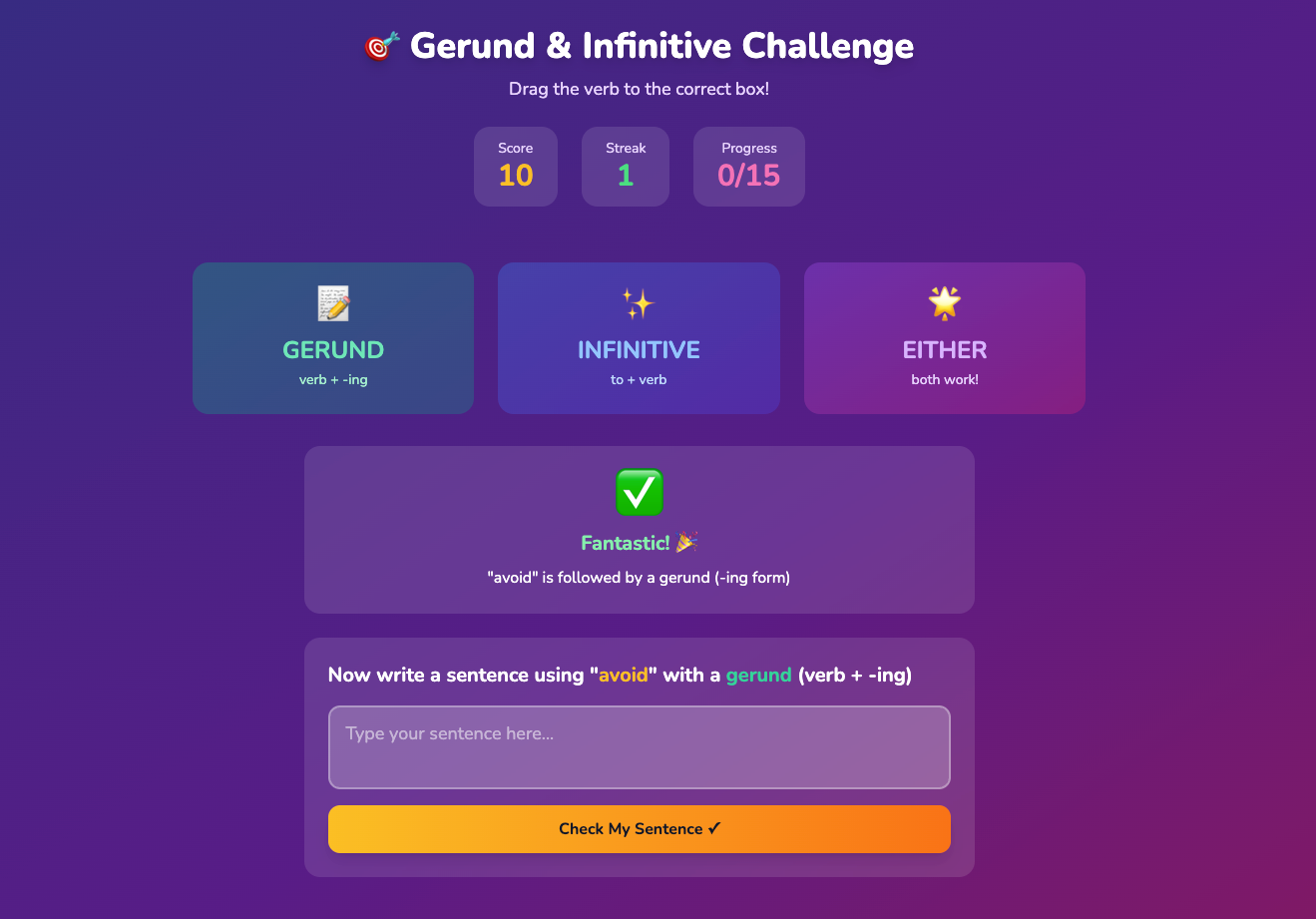
A practice game I built for students in about 5 minutes.
I took a few minutes to build a two-layered game for students. First, a verb pops up and they determine whether it should be followed by a gerund, an infinitive, or either. Students drag the word to the category they think works, and if they get it right, they’re challenged to write a sentence using that combination. You can play it here. I’m particularly fond of the two-layer approach as it’s part of the magic of technology and simply couldn’t be achieved with paper and pencil.
How to Get Started
There are quite a lot of options for vibe coding, including the popular Lovable, but for your first time, I’d recommend trying Canva AI, as many teachers are already familiar with Canva, and if you have an educator’s account you can publish an unlimited number of apps. Canva already knows that many teachers will quickly see the value in this, so they put in an option for “Create student activities” front and center, but for interactive apps, click on “Code”
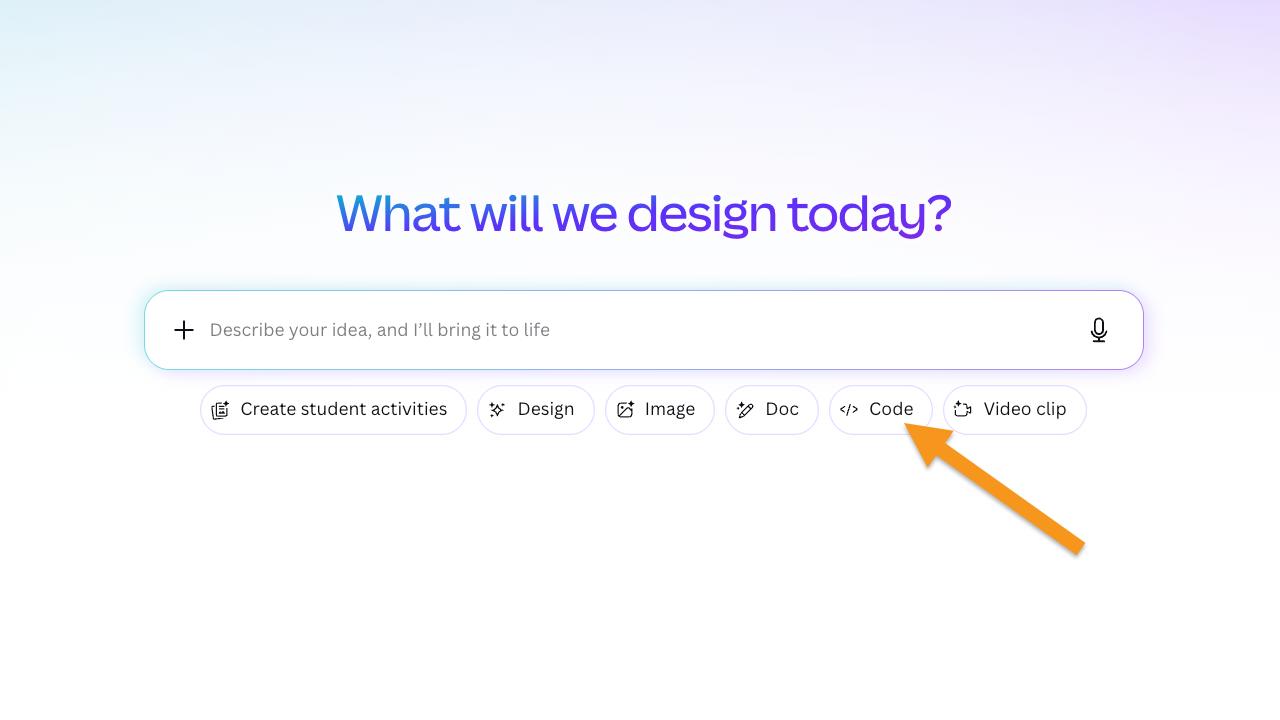
Here, the entirety of my prompt was “Create an interactive clickable game where students will show their ability to distinguish the claim and the three focus points of a thesis statement for a 5-paragraph essay.” Because of my broad request, I didn’t exactly know what it was going to create, but the resulting activity is pretty clear, and the AI even built in a points system to gamify it! You can test it out here.
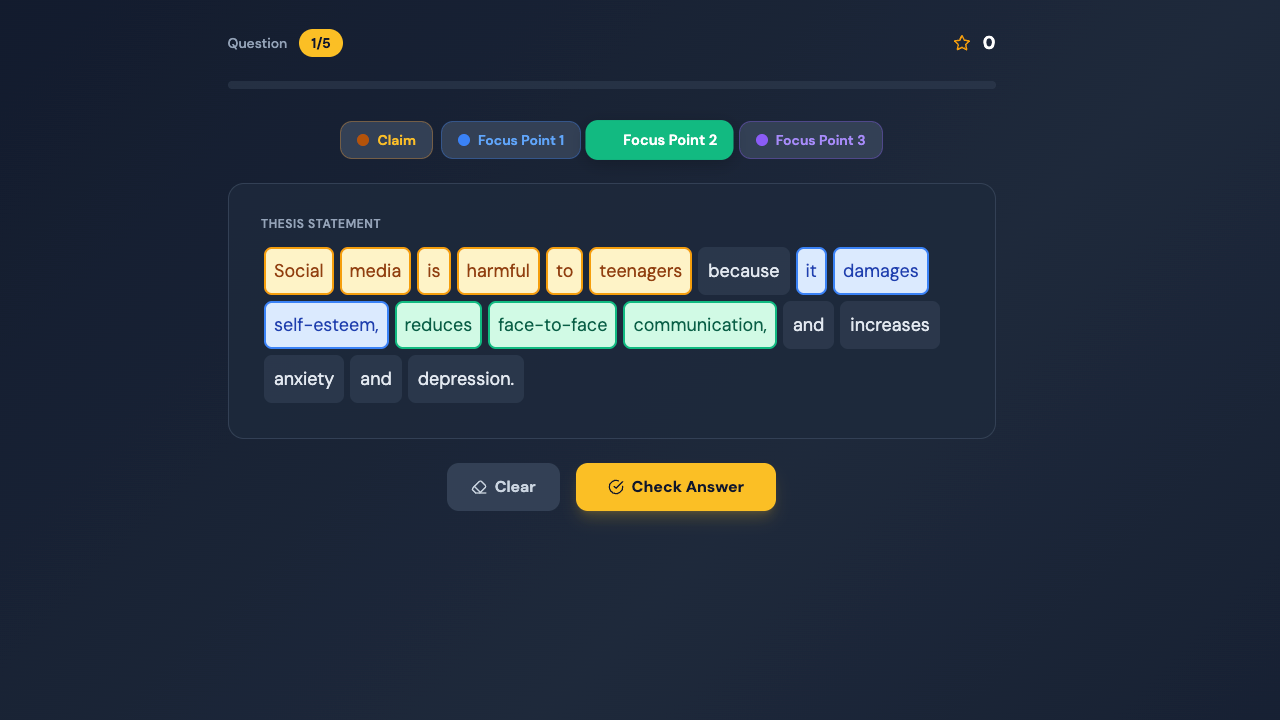
A fully formed activity in less time than it took to reheat my coffee!
The Real Magic
Building something quickly and easily is pretty amazing, but the real fun is in the adjusting and fine-tuning to match your needs. Once Canva has built your app, there’s a chatbot on the left side that you can ask to make changes on the fly. Don’t like that dark color scheme? Tell it your school colors and it will update everything. Think the example sentences are too difficult? Ask it to simplify to match your students’ levels. Want to add a second layer where students have to rearrange the order of the thesis statement? A new box will pop up underneath and it will be contextually aware.
Finally, all of this is fun, but it’s not going to mean much if your students can’t access it. At the top of the screen, you have an option to publish. You can get a custom domain and a savable link that you can distribute to your students through your LMS, email, or whatever method you prefer. That’s it. Five minutes of playing and adjusting, and suddenly you have a fully functional mini-app ready for your students to play with. It’s time to get out there and explore all of those ideas you’ve wished for over the years but never saw any of the big edtech companies make.
A Quick Warning
As always, be aware of cyber security and student privacy. Simple apps that don’t require a login and don’t ask a student to provide any personal information are probably fine, but your school and region may have its own approaches. Check with your IT team if you think anything might need a second set of eyes.

About the author
Brent Warner is a professor of ESL at Irvine Valley College in California, and an educational technology enthusiast. He is co-host of the DIESOL podcast, the only podcast with a specific focus on EdTech in ESL. He frequently presents on the crossroads of technology and language learning, focusing on student engagement and developing learner autonomy. Brent likes his coffee black and his oranges orange. He can be found on LinkedIn at @BrentGWarner.